As someone working in tech (balancing projects, support, and constant context switching) weekly planning isn’t optional. It’s the only way to stay productive without burning out. Let me show you how do I plan my week at work.
Most people walk into the office on Monday with no real plan. They check their inbox, respond to whatever appears first, and let their entire week get shaped by interruptions, last-minute requests, and meetings that didn’t need to happen. After years of dealing with that kind of chaos, I finally accepted a simple truth: If I don’t plan my week, the demands of everyone else will plan it for me.

A Quick Note: The 1-3-5-7 Rule
Have you ever heard of the 1-3-5-7 rule? In theory, it suggests you should set:
- 1 big task
- 3 medium tasks
- 5 small tasks
- 7 tiny tasks
…per day or per week, depending on who you ask.
It’s simple. It’s structured. And honestly, it looks good on paper.
But I don’t follow the 1-3-5-7 rule. My work doesn’t break down into neat categories like that, especially when unexpected issues or support tickets can appear at any moment. Still, I do something very similar. It’s a more realistic version that fits the unpredictable nature of working in Tech.
How I Actually Plan My Week (A System That Works in Tech)
1. Time Blocking:
If you want to know how do I plan my week at work, it starts with time blocking. I allocate specific blocks of time in my calendar for different types of work:
- Morning deep-work block for project work
- One dedicated block for support tickets
- Short, controlled windows for email
- A reserved slot for lunch
And yes, I really do schedule lunch. If I don’t, someone will book a meeting over it, and suddenly I’m eating a sad sandwich over my keyboard.
2. Grouping Similar Tasks to Reduce Context Switching
Nothing destroys productivity faster than constant context switching. Handling support tickets one by one throughout the day is a guaranteed way to lose focus and slow down your project work.
So I group tasks:
- Support tickets get handled in batches within a single block
- Emails are processed during one or two short windows
- Project work is placed in longer uninterrupted sessions
If something critical happens outside these blocks, I’ll know about it. But 95% of tasks do not qualify as critical.
3. Meetings Go in the Afternoon
Here’s a rule I am trying to follow as much as I can: meetings belong in the afternoon. Mornings are when my concentration is highest, and that’s when I do design work, development, planning, analysis, writing documentation and anything requiring mental clarity.
In the afternoon, when my energy naturally dips, I focus on discussions, updates, and coordination. Scattered meetings create short gaps that aren’t long enough for real work. Grouped meetings keep my morning work blocks intact.
4. Make Your Calendar Visible
I share my calendar with colleagues so they can see my blocked focus time. Once people notice that I consistently reserve my mornings for deep work, they stop scheduling over it. It’s a simple way to communicate your priorities without needing to repeat yourself.
5. Plan the Week Before It Starts
Every Monday morning, before I open my inbox, I plan the week. That means:
- Reviewing my main priorities
- Assigning time blocks for each type of work
- Checking meeting schedules
- Making sure I still have enough uninterrupted project time
Unexpected issues still happen, but with a structured plan, they don’t destroy the entire week.

So, How to Plan Your Work Week If You’re in Tech?
You don’t need a fancy framework. You don’t need the perfect workflow. And you definitely don’t need to force yourself into the 1-3-5-7 rule.
You just need:
- Clear time blocks
- Grouped tasks
- Protected deep-work hours
- Meetings in the afternoon
- A visible calendar
- A Monday morning planning session
This method is something I used for past few years and I can tell you it really works. It’s simple, straightforward, and built for the reality of working in technical environments where interruptions are part of the daily work. Try it for a week. You’ll be surprised how much more control and focus you can gain.
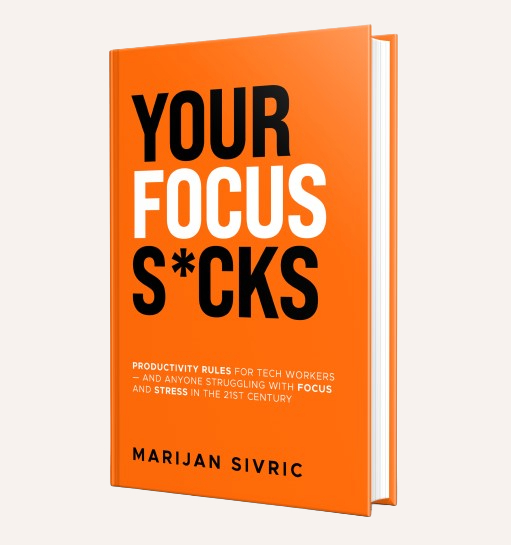
If you would like to would like to know which simple tool I’m using to stay focused, make sure you read one of my previous blog posts about Focus Mode in Windows 11. And if you would like to find more ways to increase your productivity, make sure you check my book on Amazon: