
When working with data in Microsoft SQL Server, you sometimes need a place to store intermediate results. Maybe you need this for a complex calculation, a report, or a multi-step query. That’s where temporary tables, or temp tables, come in.
In this post, I’ll explain what are temp tables in SQL, show you how to create temp tables in SQL Server, and answer common questions like where are temporary tables stored in SQL Server and how long do temp tables last in SQL Server.
Let’s go through it step by step using the Northwind database.
What Are Temp Tables in SQL?
Temp tables are just like regular tables, except they live temporarily inside SQL Server. You can use them to store data that you don’t need to keep permanently.
For example, if you’re working on a long query that requires joining multiple datasets or filtering data before running calculations, a temp table can help simplify the process.
In other words, think of a temp table as a scratchpad in your database. You can write data into it, use it as needed, and when you’re done, SQL Server will clean it up automatically.
How to Create Temp Tables in SQL Server?
Creating a temp table in SQL Server is very similar to creating a regular table. The only difference is that you add a hash (#) before the table name.
Here’s a simple example using the Northwind database:
CREATE TABLE #TopCustomers (
    CustomerID NVARCHAR(10),
    CompanyName NVARCHAR(100),
    TotalOrders INT
);

INSERT INTO #TopCustomers (CustomerID, CompanyName, TotalOrders)
SELECT TOP 5
    c.CustomerID,
    c.CompanyName,
    COUNT(o.OrderID) AS TotalOrders
FROM Customers c
JOIN Orders o ON c.CustomerID = o.CustomerID
GROUP BY c.CustomerID, c.CompanyName
ORDER BY COUNT(o.OrderID) DESC;

SELECT * FROM #TopCustomers;
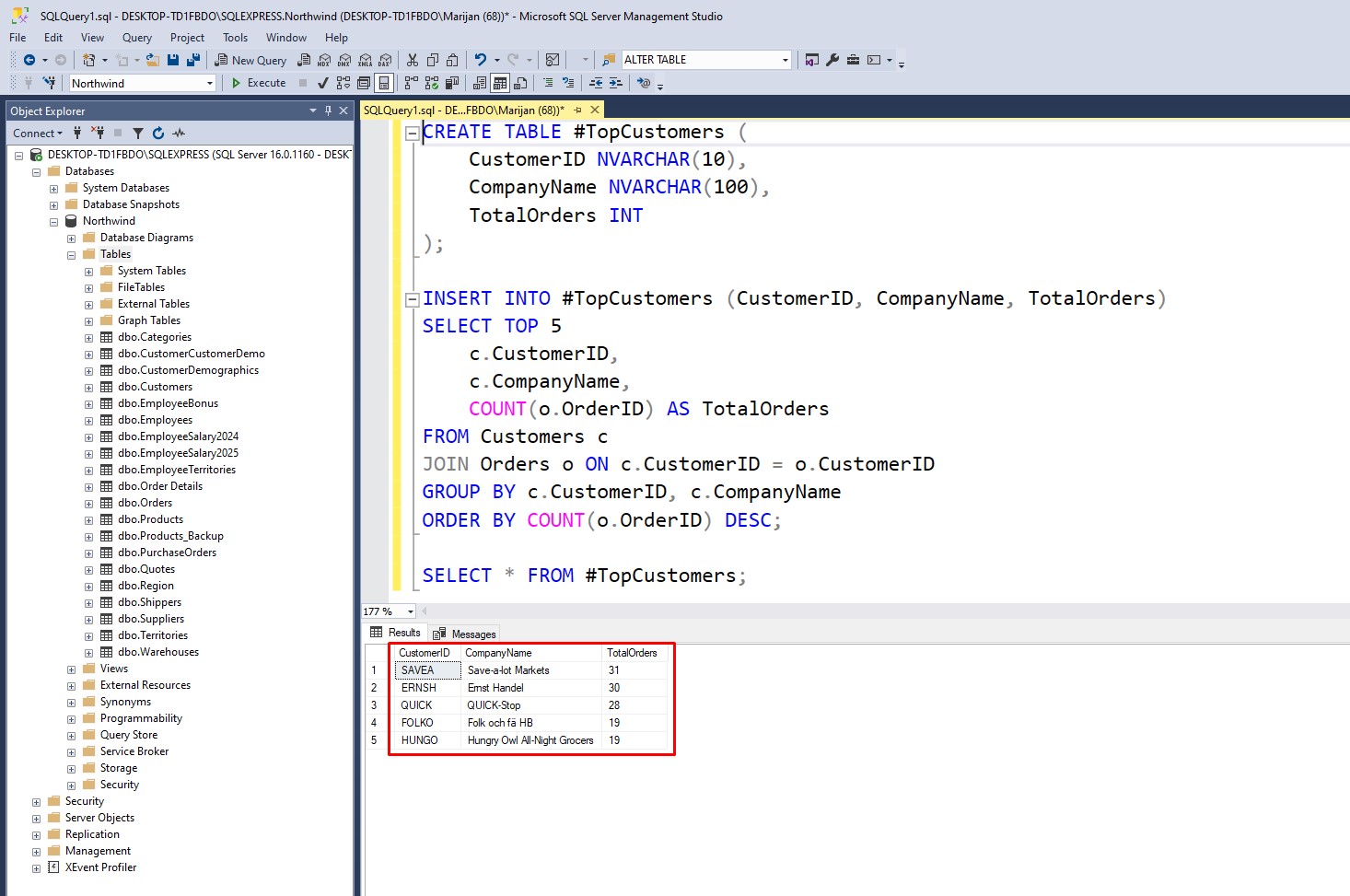
What’s happening here:
- We create a temp table called
#TopCustomers. - We insert the top five customers from the Northwind database based on the number of orders.
- Finally, we select from the temp table just like any normal table.
Here is what it looks like in SSMS:
Have in mind that you can use the same DML operations (INSERT, UPDATE, DELETE, SELECT) on temp tables as you do on regular tables.
Where Are Temporary Tables Stored in SQL Server?
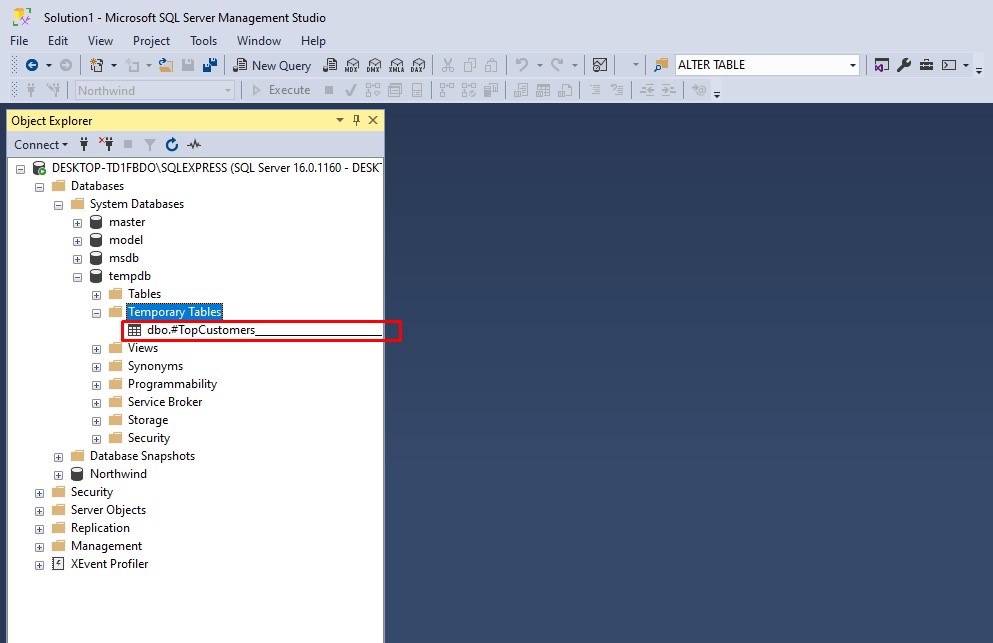
All temporary tables are stored in the tempdb system database. Even though they behave like normal tables, SQL Server keeps them separate so they don’t affect your main database.
If you open tempdb in Object Explorer (under System Databases), you’ll actually see your temp tables appear there while your session is active:
Once you close the session or your script finishes running, SQL Server automatically deletes them.
How Long Do Temp Tables Last in SQL Server?
That depends on the type of temp table you create:
- Local Temp Tables (
#TempTable)- Only visible in the session or connection that created them.
- Automatically deleted when the session ends.
- Global Temp Tables (
##TempTable)- Visible to all sessions and connections on the server.
- Deleted only after all sessions using it are closed.
Here’s an example of a global temp table:
CREATE TABLE ##AllOrdersSummary (
    Country NVARCHAR(50),
    TotalOrders INT
);

INSERT INTO ##AllOrdersSummary
SELECT ShipCountry, COUNT(*) AS TotalOrders
FROM Orders
GROUP BY ShipCountry;
You can then access ##AllOrdersSummary from another query window while the first one is still open:
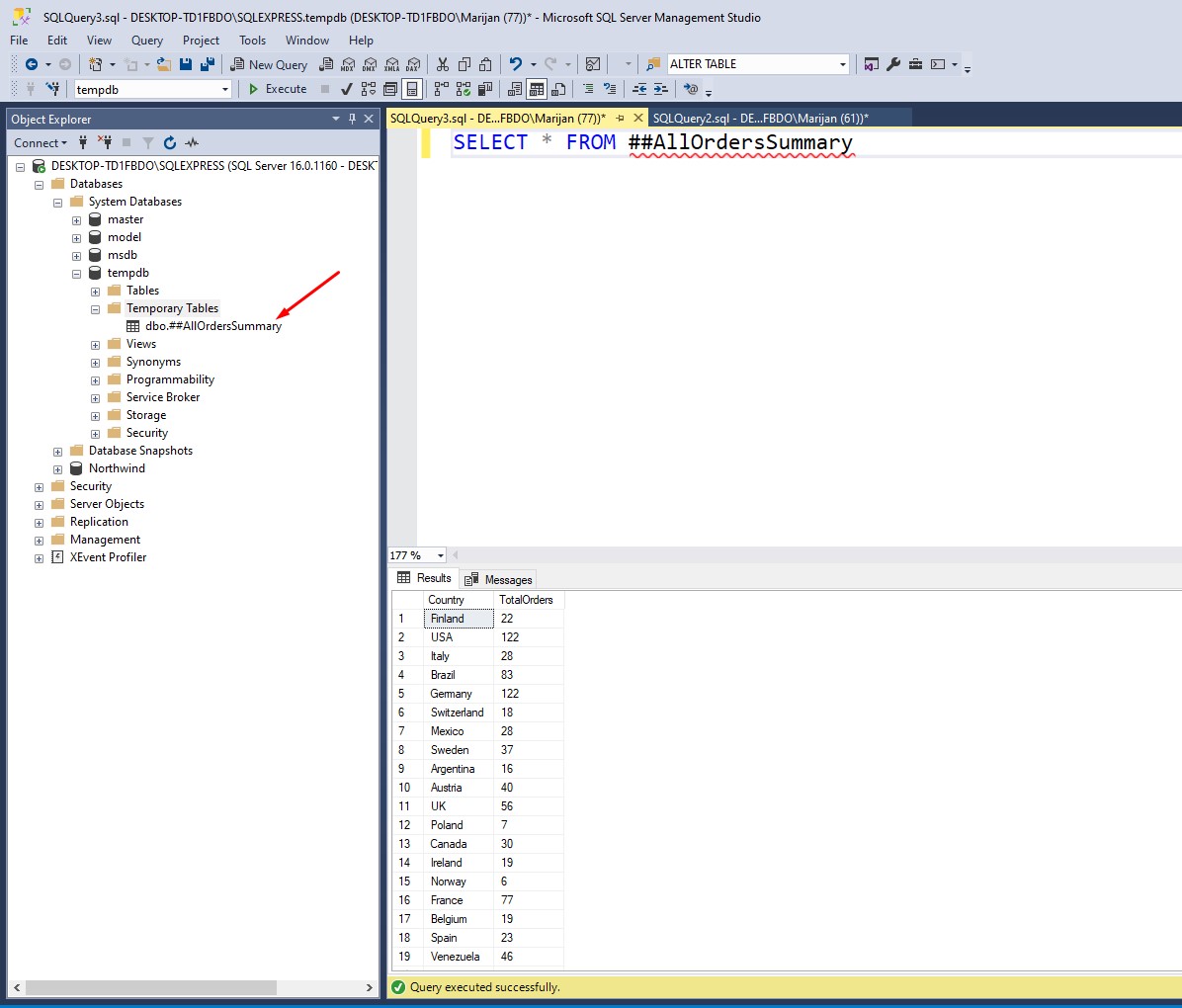
Once you close all windows using it, SQL Server automatically removes it.
Why Use Temp Tables?
Temp tables are helpful when you:
- Need to break a complex query into smaller steps.
- Want to store intermediate results temporarily.
- Perform calculations or aggregations before inserting data into a permanent table.
- Avoid running the same expensive query multiple times.
Final Thoughts
Now you know how to create temp tables in SQL Server and how they work behind the scenes. We covered:
- What are temp tables in SQL and why they’re useful.
- Where are temporary tables stored in SQL Server (
tempdb). - How long do temp tables last in SQL Server, and the difference between local and global temp tables.
Temp tables are one of those small SQL Server features that can make a big difference in query performance and readability.
If you want to learn more about SQL, check out my recent blog post about How to Use TRY CATCH in SQL Server.
There is also a great book about programming SQL queries. You can check it out here: T-SQL Fundamentals (Developer Reference)